
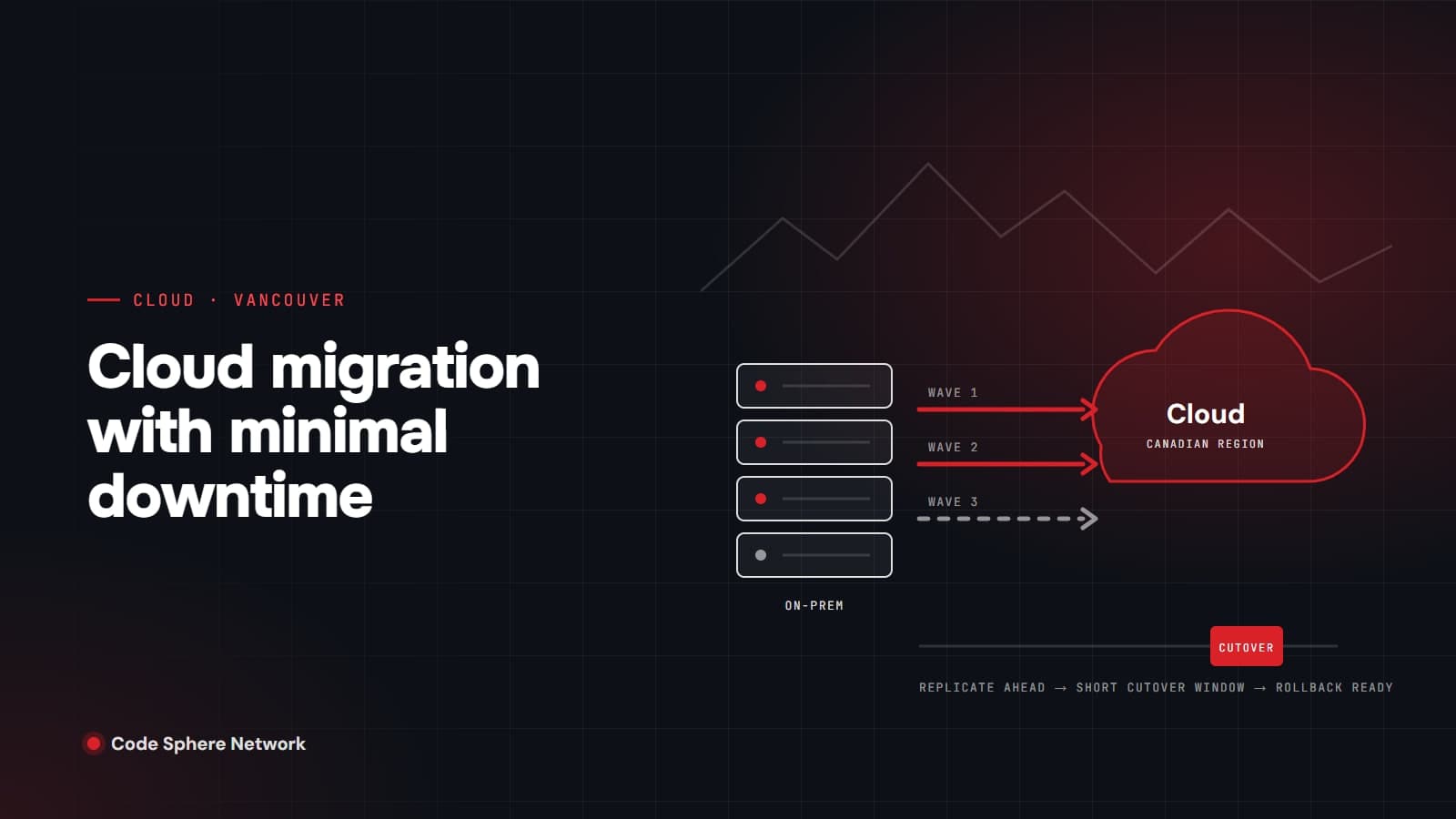
Short answer: Vancouver businesses can migrate to the cloud with minimal downtime by doing most of the work before the switch. Replicate data to the new environment ahead of time so only the final changes move during cutover. Migrate in waves, starting with lower-risk systems. Lower DNS time-to-live values days in advance, schedule the cutover for a quiet period, rehearse it, and keep the old environment ready as a rollback until the new one is proven. Done this way, the disruption is a short, planned cutover window rather than days of lost work. Some interruption should still be planned for and communicated, and any provider promising none at all is overselling.
Start by deciding what moves, and how
Not every system should move the same way, or at all. AWS's migration guidance groups the options into seven strategies, often called the 7 Rs:
- Retire: switch off applications nobody needs.
- Retain: keep some systems where they are for now, for example to meet data residency requirements.
- Rehost ("lift and shift"): move servers as they are.
- Relocate: move virtualized workloads to the cloud version of the same platform.
- Repurchase: replace an application with a software-as-a-service product.
- Replatform: make modest changes on the way, such as moving a database to a managed service.
- Refactor or re-architect: rebuild the application to be cloud-native.
For downtime, the choice matters. AWS notes that with rehosting the application "continues to serve users while the workloads are being migrated, which minimizes disruption and downtime," and advises migrating first and modernizing afterward for large moves. Trying to re-architect everything during the migration is one of the most reliable ways to extend an outage.
Choose a Canadian region
The major providers all run data centres in Canada:
- AWS: Canada (Central) in the Montreal area, and Canada West (Calgary), which opened in December 2023 as the first major cloud region in Western Canada. The Calgary region is opt-in, so it has to be enabled on your account before use.
- Microsoft Azure: Canada Central in Toronto and Canada East in Quebec, which are paired with each other.
- Google Cloud: Montréal and Toronto.
For a Vancouver business, keeping data in Canada often simplifies conversations with clients, insurers and regulators, and Calgary is the closest of these regions geographically. The right region still depends on the services you need, since not every service is available everywhere.
Know which privacy rules apply
Most private-sector organizations in British Columbia fall under the Personal Information Protection Act (PIPA), which, in the provincial government's words, "applies to any private sector organization that collects, uses, and discloses the personal information of individuals in B.C." Your migration plan should cover where personal information will be stored and who will be able to access it.
If you work with BC public bodies, the rules are different. Amendments to the Freedom of Information and Protection of Privacy Act in 2021 removed the restriction that had prevented public bodies from storing information outside Canada, and replaced it with strengthened privacy impact assessment requirements, including a supplementary assessment when sensitive personal information will be stored outside the country. Clients in the public sector may ask you about this.
Replicate first, cut over last
The single biggest factor in minimizing downtime is continuous replication. Instead of copying everything during an outage, you copy it while the old system is still running and keep the copy in sync until the switch.
- AWS Database Migration Service supports a full load followed by ongoing replication, known as change data capture, which keeps source and target in sync.
- AWS Transform MGN (formerly AWS Application Migration Service) performs continuous block-level replication of servers, and AWS describes cutover windows as typically minutes.
- Azure Database Migration Service supports online migrations to supported targets "with minimal downtime."
Replication is not instant, though. AWS states that its change data capture "does not provide real-time replication," and lag can grow to several minutes or longer. Microsoft's Cloud Adoption Framework recommends a change freeze before cutover, pausing writes during a low-traffic period, and not proceeding until replication lag is zero. Then validate the data, for example with checksums, before switching users over.
Move in waves, not all at once
Microsoft's migration guidance recommends organizing larger estates into migration waves and moving non-production environments before production. Each wave teaches you something about your own systems, such as a forgotten dependency, a hard-coded IP address or a licence tied to old hardware, and that lesson is much cheaper to learn on a test server than on your finance system.
Schedule each production wave outside your busiest hours. For most Vancouver offices that means evenings or weekends in Pacific time, avoiding month-end, payroll runs and seasonal peaks.
Lower DNS TTLs before the switch
When you point a website, application or mail service at a new location, DNS records tell the world where to go, and every resolver caches them for the record's time-to-live (TTL). If your TTL is a day, some users may keep going to the old location for a day.
Cloudflare recommends lowering TTLs at least 24 to 48 hours ahead of a migration, ideally matching your longest current TTL, and notes that 300 seconds (five minutes) is a common short value. AWS makes the same point for DNS provider moves, warning that without a lower TTL a domain "could be unavailable on the internet for up to two days if something goes wrong." Raise the TTL again once the new setup is stable.
Rehearse, and write the rollback plan first
Every cutover plan should say, in advance, how you will undo it. Microsoft's guidance is direct: "Always establish rollback criteria and procedures before initiating any migration or deployment." Test the rollback as well as the migration.
- Define what failure looks like, such as errors, missing data or performance below an agreed threshold, and who makes the call.
- Retain the source environment as a fallback until the new one has run cleanly. Microsoft suggests monitoring closely for 24 to 48 hours after cutover.
- Rehearse the cutover on a copy, time each step, and use those timings to set the maintenance window.
Moving email to Microsoft 365
Email is often the first workload a business moves, and Microsoft supports several methods depending on the source:
- Cutover migration for Exchange 2003 to 2013 with fewer than 2,000 mailboxes, although Microsoft notes it is more reasonable for 150 users or fewer.
- Hybrid migration for Exchange 2010 with 150 to 2,000 mailboxes, or Exchange 2013 and later.
- IMAP migration for other mail systems, which moves email only. Contacts, calendar items and tasks need to be moved another way.
Once mail is in Microsoft 365, the work shifts to securing and governing the tenant, which we cover in What Should Your MSP Manage in Microsoft 365?
A cutover-weekend checklist
- Inventory systems and dependencies, and pick a strategy for each
- Choose the region and confirm privacy obligations
- Start replication early and watch the lag
- Lower DNS TTLs at least 24 to 48 hours ahead
- Announce the maintenance window to staff and customers
- Freeze changes, pause writes and confirm replication has caught up
- Validate data and test key workflows before reopening access
- Keep the old environment ready as a rollback
- Monitor closely for 24 to 48 hours, then raise TTLs and decommission
What "minimal downtime" should mean in your plan
Minimal downtime is a planning target, not a slogan. For each system, agree on the acceptable cutover window, the time it happens, who is told, and what triggers a rollback. A short, well-communicated window on a Saturday evening is far less disruptive than an unplanned outage on a Tuesday morning, even if the second one lasts less time on paper.
How Code Sphere Network runs cloud migrations
Our cloud services team works across AWS, Azure and Google Cloud in three phases: assess, migrate and operate. We inventory workloads and dependencies, move them with cutover plans, parallel runs and validation gates, then monitor and report on cost and performance afterward. Once you are in the cloud, our managed IT services keep the day-to-day environment running. To plan a migration for your Vancouver business, book a free consultation.
Sources
- AWS Prescriptive Guidance: Migration strategies (the 7 Rs)
- AWS: Regions and Availability Zones
- AWS News Blog: Third Availability Zone in the Canada (Central) Region
- Amazon: AWS launches second infrastructure region in Canada
- Microsoft Learn: Azure regions list
- Google Cloud: Regions and zones
- Government of BC: Protect personal information (PIPA)
- Government of BC: FOIPPA amendments and data residency (fact sheet)
- AWS DMS: Ongoing replication with change data capture
- AWS Transform MGN: What is it?
- Microsoft Learn: Azure Database Migration Service overview
- Microsoft Cloud Adoption Framework: Plan your migration
- Microsoft Cloud Adoption Framework: Execute your migration
- Cloudflare: DNS migration best practices
- AWS Route 53: Migrating DNS service for a domain that is in use
- Microsoft Learn: Ways to migrate email to Microsoft 365
About Code Sphere Network Team
Code Sphere Network Inc. is a Vancouver-based managed IT, cybersecurity, cloud and AI automation provider serving businesses across Canada. Our team writes these guides from the work we do for clients every day.
